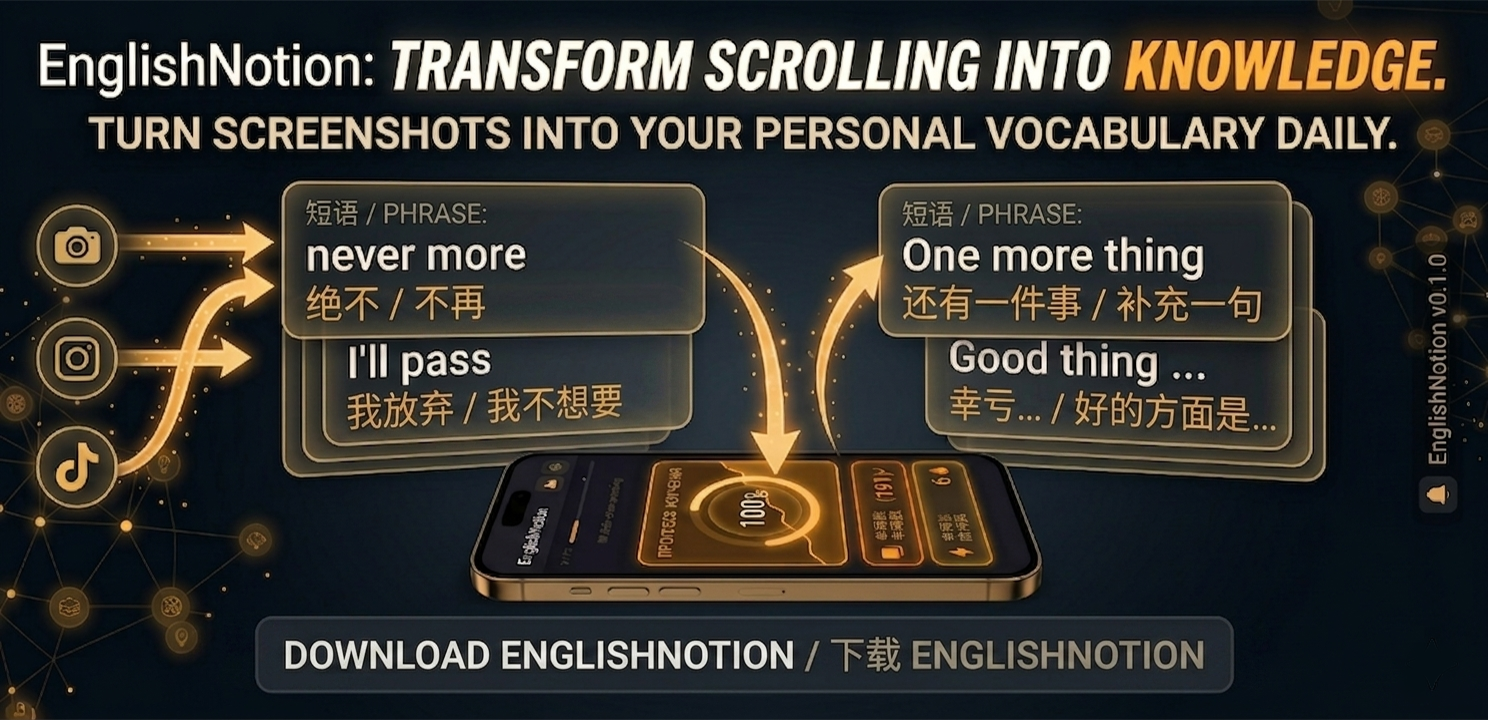
Never lose an English word again.
You already meet English everywhere — YouTube, Netflix, games, Reddit, manga, books. Screenshot it, and English Notion quietly turns what you love into vocabulary you actually remember.
You already meet English everywhere — YouTube, Netflix, games, Reddit, manga, books. Screenshot it, and English Notion quietly turns what you love into vocabulary you actually remember.
Every day you spot a word worth keeping. You screenshot it… and never open it again. Sound familiar?
Watching, reading, gaming — English you actually want to learn shows up every single day.
Straight into a camera roll of 500 other screenshots you'll never scroll back to.
A week later the word — and the moment you learned it — is gone. Nothing sticks.
No textbooks. No word lists to grind. English Notion turns the content you already enjoy into vocabulary that finally sticks.
Keep the phrases from the videos and comments you already watch every day.
Explore →Turn subtitles from your favourite shows into words you'll actually remember.
Explore →Grab English from quests, dialogue and chat without ever pausing your session.
Explore →Instagram, TikTok, Facebook and Reddit — save the slang and everyday phrasing from your feeds.
Explore →Pick up new words from the subs and scanlations of the stories you follow.
Explore →Screenshot anything you read — a page, a headline, a caption — and keep it.
Explore →Spot English while you scroll? Share the screenshot to English Notion — and the word comes back to you exactly when you're about to forget it.
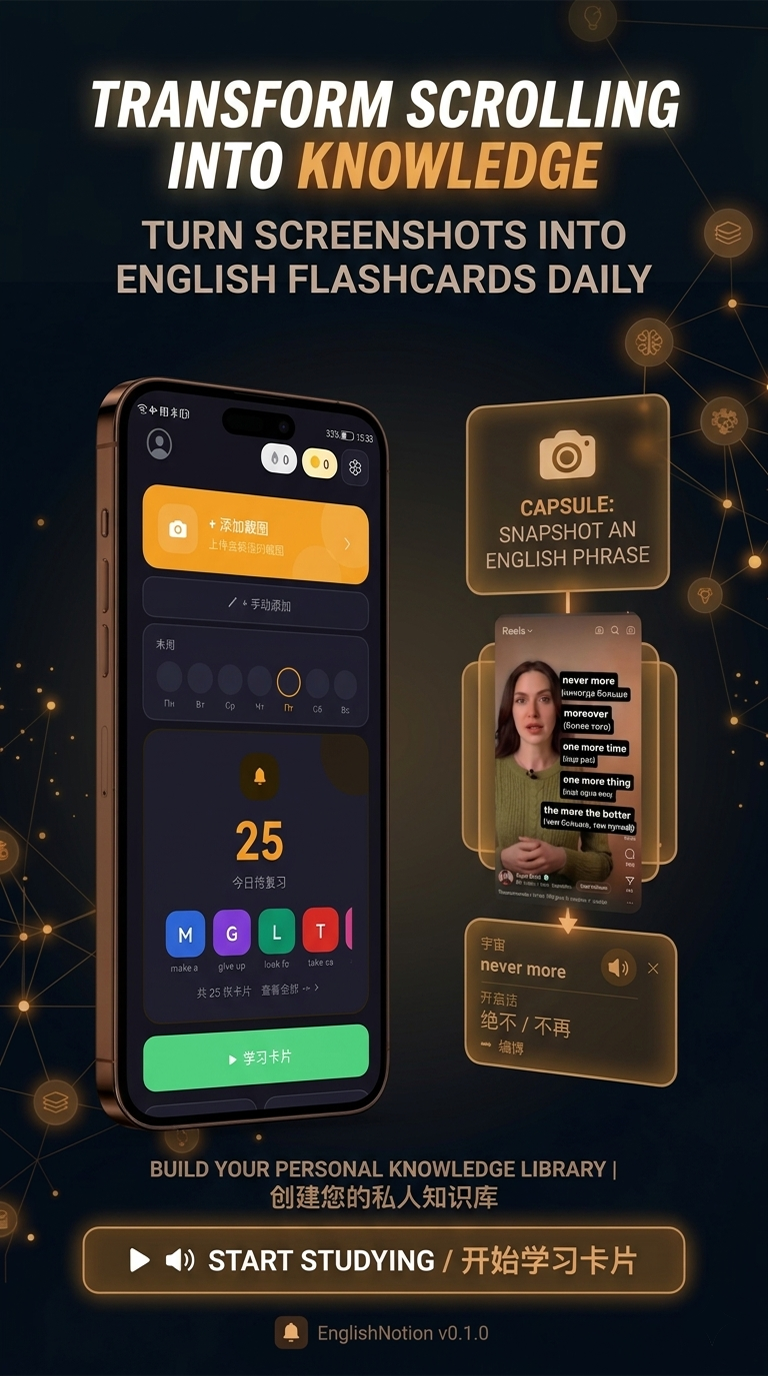
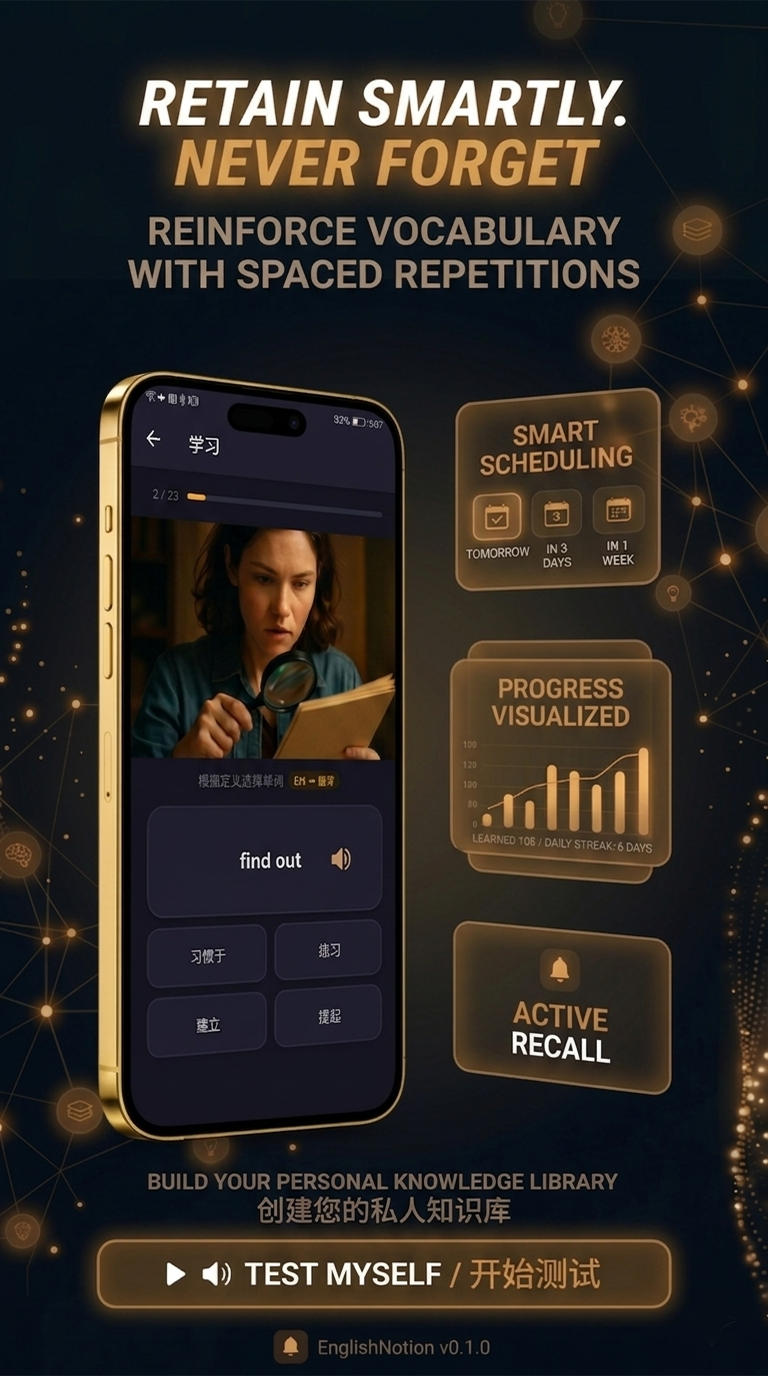
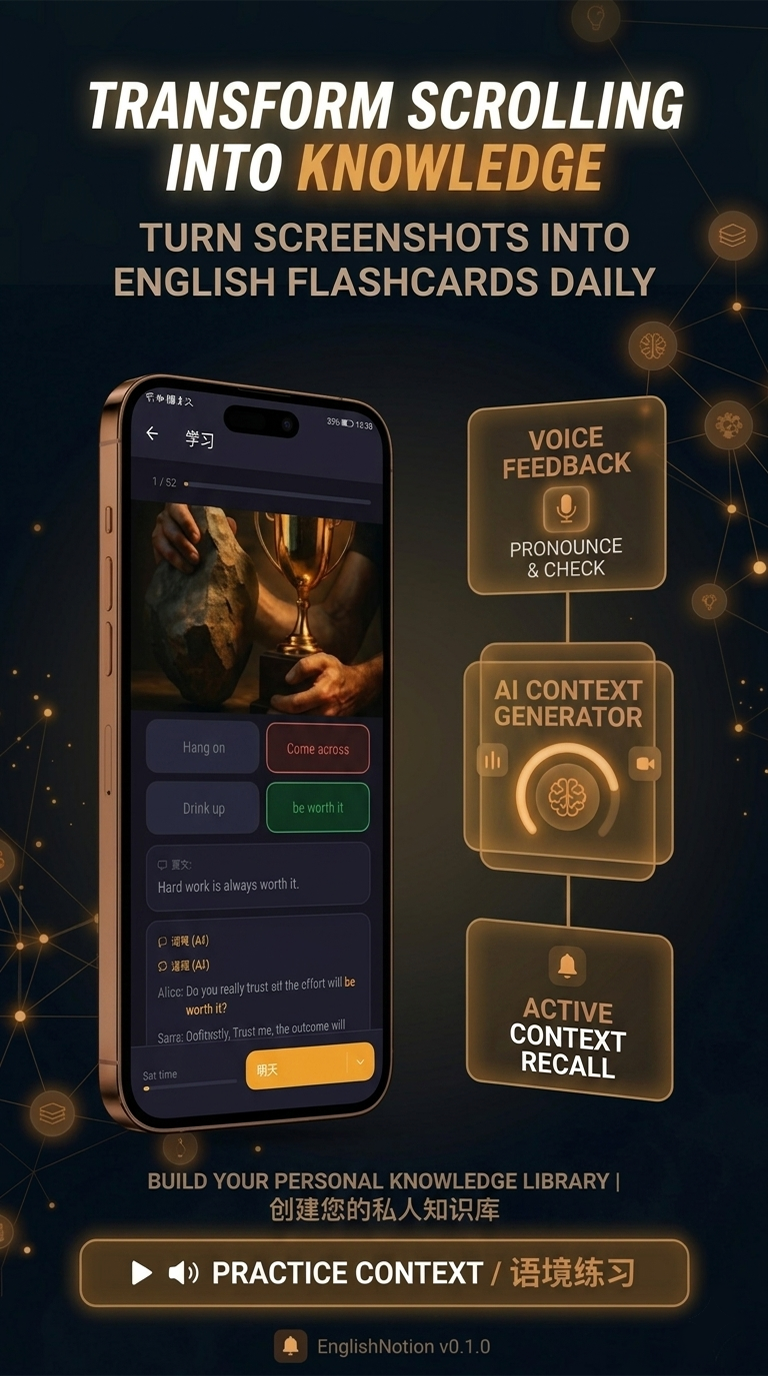
You just take a screenshot. Behind the scenes, English Notion does the heavy lifting.
No manual typing. Our OCR technology extracts English phrases directly from any screenshot with a single tap.
Don't just learn words — learn how to use them. AI generates natural dialogues and real-life examples for every phrase you save.
Proven algorithms (similar to Anki) schedule reviews exactly when you're about to forget. Learn smarter, not harder.
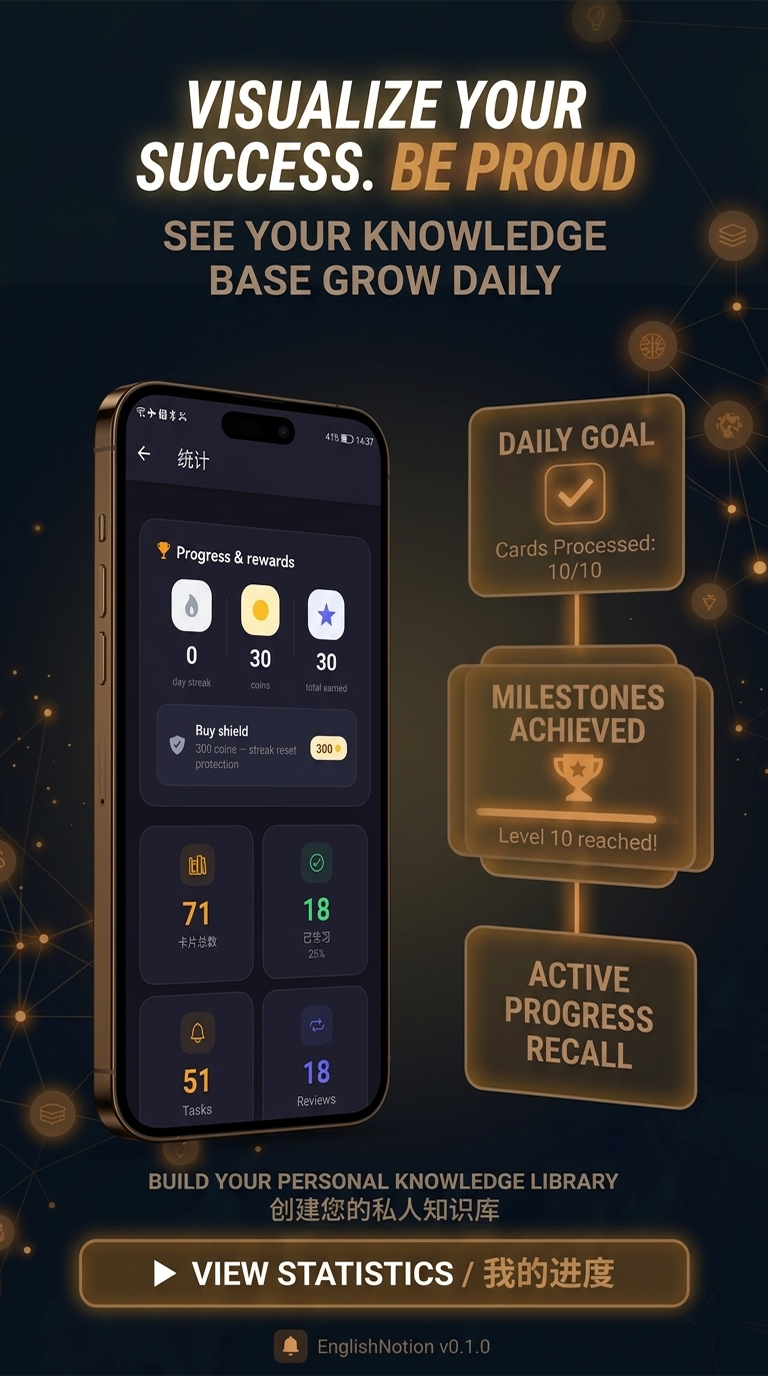
Beautiful stats, daily streaks, and achievements visualize your vocabulary growth and keep you motivated every day.
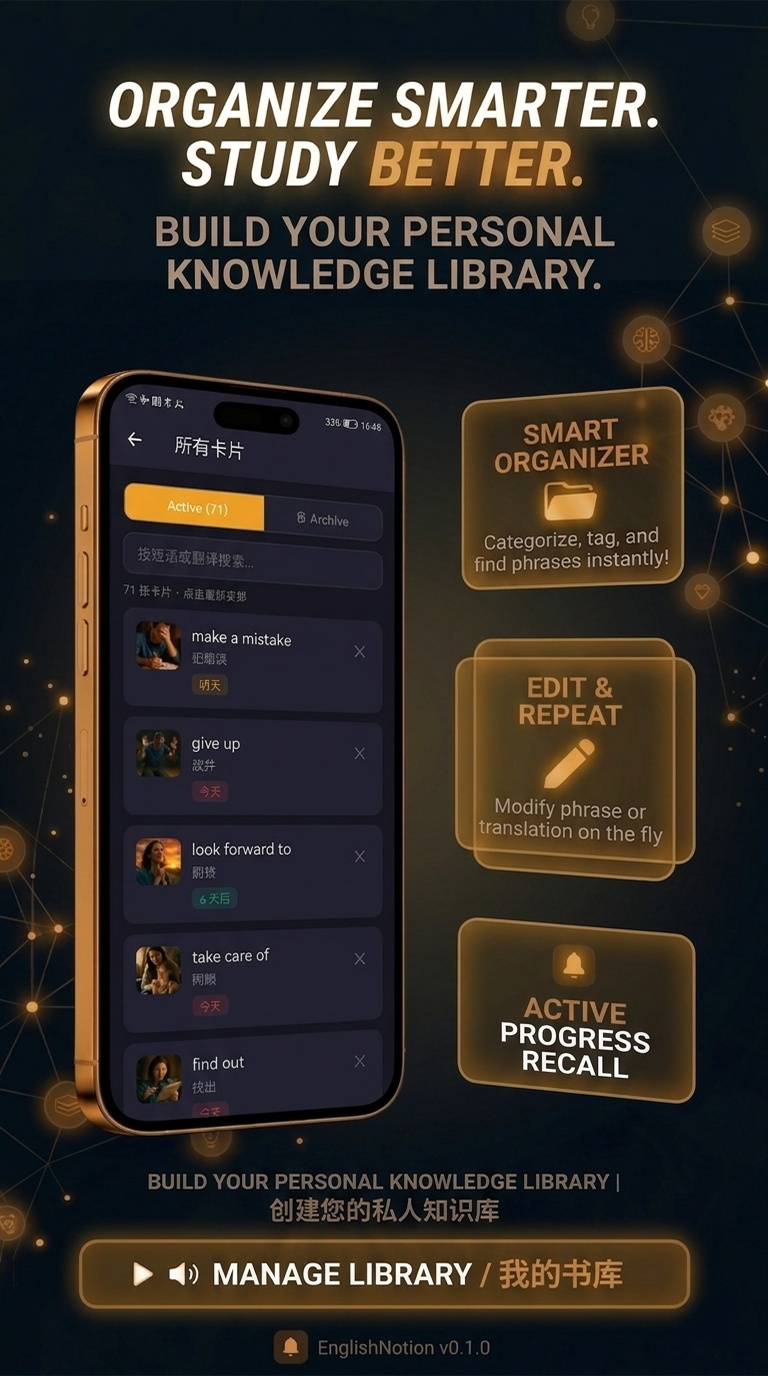
Organize your library, edit translations, and categorize phrases. Your entire English world — in one convenient place.
Save content from any app instantly using the system Share menu. No switching between apps, no friction, no forgetting.
Your captured words are the heart of it — but there's a whole English toolkit around them.
Look up more than 15,000 English words with IPA phonetic transcription and clear definitions — right inside the app, without leaving what you're doing.
Text-to-speech pronunciation for any word you're learning, so you know how it actually sounds before you use it out loud.
Review never turns into a chore: multiple-choice quizzes, a matching game, word scramble, sentence builder, fill-in-the-blank and listening quizzes that train your ear.
Every word can get its own AI-generated picture — a visual anchor that sticks in memory far better than a line of text.
Twenty themed sets of everyday movie-style dialogue, unlocked step by step — the natural conversational English that textbooks tend to skip.
Sign in and your vocabulary follows you across devices. A new word every day and gentle reminders keep the habit alive.
Everything you need to know about learning English with screenshots and AI.
Take a screenshot of any English text — a YouTube caption, a Netflix subtitle, a game dialogue, a Reddit comment — and share it to English Notion. The app uses OCR to read the text, AI to translate it and explain it in context, and turns it into a flashcard. Spaced repetition then schedules reviews so the words stay in your memory.
English Notion is built specifically for this: it extracts English from any screenshot with OCR, adds AI translations and examples, and drills the vocabulary with spaced repetition. There's no manual typing — you screenshot, share, and learn.
Yes. Screenshot in-game dialogue, quests or chat, share it to English Notion, and study the new words later. You never have to pause your session to look words up.
Screenshot the subtitle or comment with the word you want to keep. English Notion saves it as a flashcard and uses spaced repetition — reviewing each word right before you'd forget it — so words from the shows and videos you watch actually stick.
Yes. AI translates each captured phrase and generates natural examples and context, so you learn not just the meaning but how the word is really used.
Spaced repetition (SRS) schedules each review at the moment you're about to forget a word — similar to Anki. It's one of the most effective ways to move vocabulary into long-term memory with the least effort.
There's no limit — your personal library grows as you capture more content, and learners can build vocabularies of 10,000+ words over time.
Yes. Because you build your own vocabulary from real content — movies, games, articles, social media — the difficulty naturally matches your level, which makes it a strong fit for intermediate and advanced learners.
Yes. Every word you capture lives in your personal library, where you can edit translations, group phrases and keep your whole English world in one place.
Yes. A dictionary of more than 15,000 English words is built in, each with IPA phonetic transcription and a clear definition. You can also hear any word pronounced aloud with text-to-speech, so you learn how it actually sounds.
Yes. Beyond standard flashcard review there are multiple-choice quizzes, a matching game, word scramble, a sentence builder, fill-in-the-blank exercises and listening quizzes that train your ear — so revision stays varied instead of turning into a chore.
Free on Google Play. Turn the content you already love into English you'll never forget.